
Facebook Ad Management Essentials: Turning Ad Spend into Predictable Revenue

Turn Facebook Ad Spend Into a Managed Revenue System
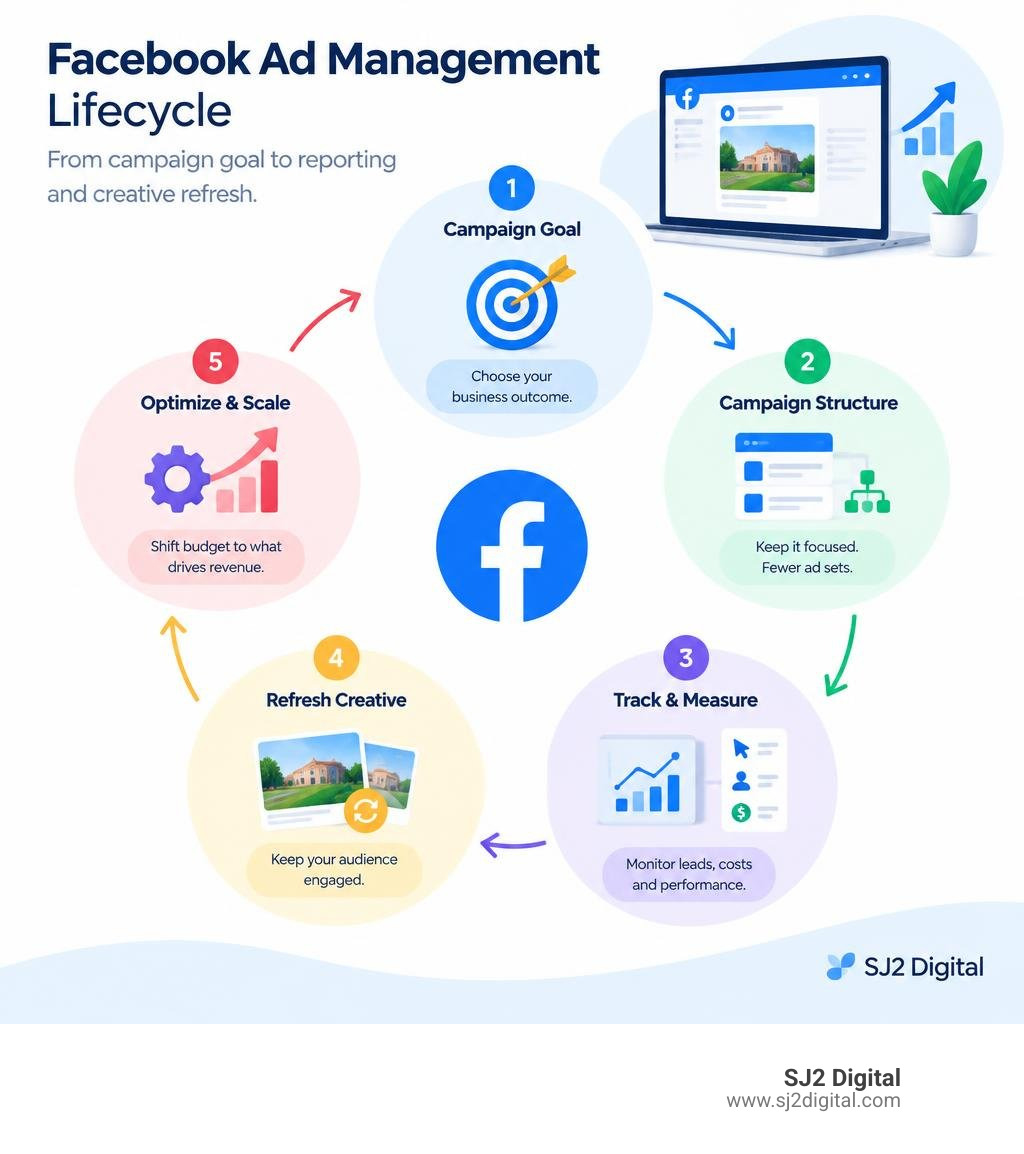
Effective facebook ad management means building a simple system: choose a business goal, structure campaigns correctly, track qualified leads and cost per lead, then shift budget toward the ads that produce revenue. For senior-living operators, that means measuring more than clicks. You need to know which campaigns drive inquiries, tours, move-ins, and a sustainable return on ad spend.
A practical management routine looks like this:
- Build campaigns in Meta Ads Manager around a clear outcome, such as qualified lead generation.
- Keep the account structure focused, with only a few ad sets per campaign so budget and data are not spread too thin.
- Track results, cost per result, click-through rate, frequency, and conversion value in a customized dashboard.
- Refresh creative before the same audience sees it too often and costs rise.
- Use automation carefully to protect budget when performance falls outside agreed limits.
Meta's ad system now rewards consolidated data, broad-enough audiences, and a steady flow of fresh creative more than endless manual targeting tweaks. The goal is not to micromanage every impression. It is to give the platform enough quality conversion data to find likely prospects, while maintaining clear controls over spend and lead quality.
Core Pillars of Modern Facebook Ad Management
Running profitable campaigns begins with choosing the right operational tools. Many business owners log in to Meta Business Suite to publish social posts, see an option to "Boost Post," and wonder why their cost per lead ends up sky-high.
While both platforms live within the Meta ecosystem, they serve completely different purposes.
| Feature / Capability | Meta Ads Manager | Meta Business Suite |
|---|---|---|
| Primary Focus | Performance advertising, conversion optimization, deep data reporting | Organic social scheduling, community management, basic promotions |
| Campaign Structure | Full 3-tier hierarchy (Campaign, Ad Set, Ad) | Single-layer post boosts or simplified ad forms |
| Budget Control | CBO, ABO, lifetime/daily pacing, automated spend caps | Basic daily or total spend limits |
| Audience Control | Custom audiences, exclusion lists, granular radius controls | Basic demographic and interest overlays |
| Optimization Types | Conversion events, leads, app installs, catalog sales | Engagement, link clicks, page followers |
| Best Used On | Desktop for precise setup, rule-building, and data analysis | Desktop for organic planning; mobile app for lightweight monitoring |
Meta Business Suite is designed for social media managers handling everyday community engagement. Meta Ads Manager is where performance marketers build full-funnel engines. While the mobile Ads Manager app works well for checking daily pacing over coffee, comprehensive campaign setup belongs on desktop.
If you are developing full-spectrum senior living marketing services, relying solely on boosted posts leaves massive revenue opportunities on the table.
Structuring Campaigns for Scalable Facebook Ad Management
The biggest shift in Meta advertising over recent years is account consolidation. In the past, marketers built dozens of hyper-targeted ad sets targeting micro-interests. Today, that structure starves Meta's machine-learning delivery system of necessary data.
Meta recommends maintaining just 1 to 3 ad sets per campaign. This allows your budget to gather volume quickly rather than fragmenting across thin demographic slices.

A solid hierarchy follows three distinct levels:
- Campaign Level: Defines the singular business objective (e.g., Leads, Sales, Awareness). Everything below this level serves that single goal.
- Ad Set Level: Governs targeting parameters, placements, schedules, and conversion locations. You can configure technical boundaries using Meta's Basic Targeting parameters such as ISO country codes, regional radius limits (10 to 50 miles), age brackets, and gender.
- Ad Level: Houses the actual creatives—copy, videos, carousels, headlines, and destination URLs with tracking parameters.
Instead of testing five different slightly altered interest groups, use broader audiences combined with high-intent creative messaging. Let your creative do the targeting by speaking directly to the problems your prospects face.
Budgeting Strategies: CBO vs ABO
Choosing between Advantage Campaign Budget (CBO) and Ad Set Budget Optimization (ABO) determines how Meta distributes your capital.
- Ad Set Budget Optimization (ABO): You set a dedicated daily spend limit on each individual ad set. This gives you absolute control over spend distribution, making it the ideal sandbox for controlled A/B testing of new concepts, hooks, or distinct audience segments.
- Campaign Budget Optimization (CBO): You set a global campaign budget. Meta’s machine-learning algorithm dynamically shifts dollars in real-time toward the ad set producing the lowest-cost optimization events.
The most effective scaling framework uses both:
- Test in ABO: Place new creative concepts or angle variations into an ABO testing campaign with fixed budgets to validate performance without Meta favoring older, established ads.
- Graduate Winners to CBO: Move validated top performers into an evergreen CBO scaling campaign. Meta will automatically distribute spend across these winning assets based on live auction opportunities.
Avoid over-fragmentation. If your daily budget is $100, dividing it across ten ad sets leaves each with $10—rarely enough to trigger meaningful conversion events.
Navigating the Learning Phase and Performance Optimization
Whenever you launch a new ad set or make a significant edit, Meta enters what it calls the learning phase. During this window, the delivery system explores which users, placements, and times of day are most likely to convert.

To stabilize delivery and achieve consistent costs, every ad set needs roughly 50 optimization events within a 7-day window.
If your target conversion event is an assisted-living move-in or a high-ticket sale that only happens 3 times a week, optimizing for that final action at low daily budgets will trigger "Learning Limited" status. When this occurs, performance becomes erratic, and CPMs tend to climb.
To solve this:
- Consolidate smaller ad sets into broader ones to aggregate data.
- Optimize for a step slightly higher in your funnel (such as completed tour request forms or qualified lead submissions) to ensure you reach the 50-event threshold.
- Ensure your total budget aligns with your target cost per acquisition. If your average cost per lead is $40, you need approximately $2,000 per week ($285/day) across that ad set to clear learning smoothly.
Pairing these principles with a balanced senior living pay per click search strategy ensures that high-intent demand captured on search engines aligns with discovery demand generated on social feeds.
Leveraging Meta Advantage+ and Automated Rules
Meta's Advantage+ suite uses artificial intelligence to automate placement selection, dynamic creative assembly, and audience expansion. However, high-performing marketers do not simply "set it and forget it." They apply guardrails using automated rules.
Automated rules serve as your campaign safety net, executing actions when metrics hit predefined boundaries:
- High-Cost Protection Rule: Automatically pause any ad where spend exceeds 2x your target Cost Per Acquisition (CPA) with zero conversion events over the last 3 days.
- Fatigue Protection Rule: Send an email notification or scale back budget by 20% if ad frequency exceeds 7.0 and CTR drops below 0.8% over a 7-day window.
- Winner Scaling Rule: Increase ad set budget by 15% every 48 hours if ROAS stays above your target threshold and delivery remains outside the learning phase.
By automating low-level defensive moves, you free up bandwidth to focus on messaging, conversion rate optimization, and asset creation.
Customizing Dashboard Reporting and Breakdowns
The default Ads Manager view offers surface-level insights that rarely tell the full performance story. Customizing your reporting columns allows you to diagnose conversion drop-offs immediately.
Key custom columns to include:
- Delivery & Learning Status
- Amount Spent & Budget
- Results & Cost per Result
- Website Leads / Purchases & Conversion Value
- Click-Through Rate (CTR Link Click & CTR All)
- Cost Per 1,000 Impressions (CPM)
- Frequency & CPMr (Cost to reach 1,000 unique people)
- Outbound Clicks & Cost per Outbound Click
To dive deeper into programmatic delivery, developers and technical analysts can query performance parameters via the Graph API ad set reporting endpoints.
In the native dashboard, leverage the Breakdown button:
- By Placement: Reveals whether your conversions are coming from Instagram Reels, Facebook Feed, or Audience Network, allowing you to tailor creative formatting.
- By Demographics: Identifies which age and gender brackets yield the lowest cost per qualified lead.
- By Time: Compares performance across days of the week or weeks of the month to spot seasonal spikes.
Creative Optimization and Ad Fatigue Prevention
In modern performance marketing, creative acts as the primary targeting lever. When the algorithm has broad parameters, the visuals, hooks, and copy determine exactly who stops scrolling and takes action.
However, even high-performing creative eventually experiences audience fatigue.
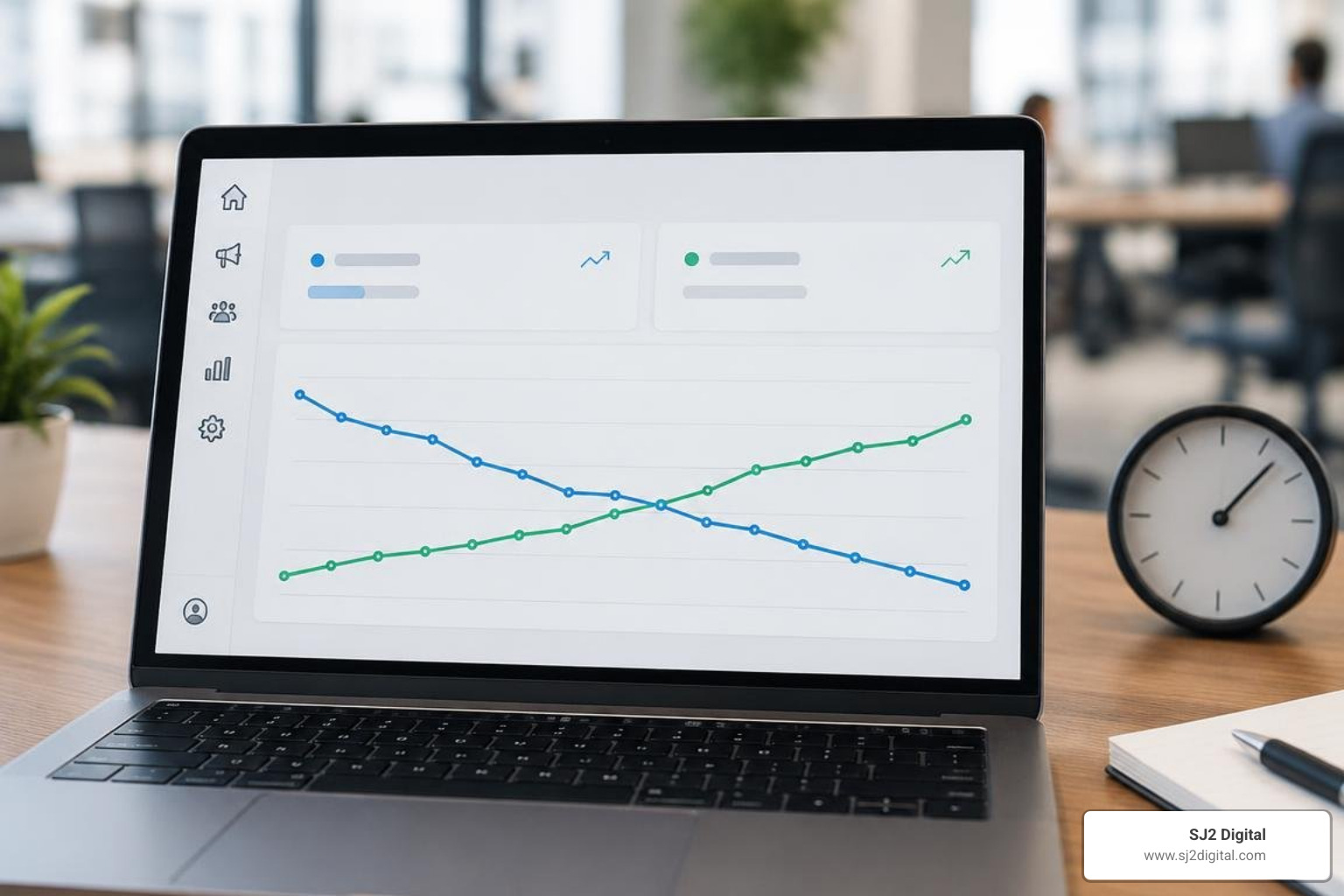
Audience fatigue occurs when your target market sees the exact same ad too many times. Performance drops and ad spend is wasted on unreceptive prospects.
Keep these statistical benchmarks in mind:
- Average CTR for Facebook Feed sits around 0.9%. A "good" campaign achieves 1.5%+, while top-tier creative hits 2.5%+.
- Frequency Benchmarks: Aim to keep frequency in the 3 to 7 range across standard campaign windows. When frequency climbs above 8 to 9, fatigue sets in rapidly, causing CPMs and cost per result to escalate.
- Seasonality Pressure: During the Q4 holiday season, CPMs routinely spike by 50% to 100% as commercial advertisers compete heavily for feed real estate.
- Watch CPMr (Cost to reach 1,000 unique people): If CPMr rises steadily while your video hook rate (the percentage of people watching the first 3 seconds) drops, your audience has tuned out that specific visual.
A diversified strategy that connects social engagement with broader programmatic advertising senior living placements ensures your message reaches prospective families across multiple touchpoints without over-saturating a single feed.
Creative Operations and Refresh Cycles in Facebook Ad Management
To maintain stable acquisition costs, high-growth accounts maintain a continuous creative pipeline. Launching 3 to 5 new creative variations weekly ensures winning ads have immediate replacements when performance dips.
Creative production can quickly drain resources. If building and launching an ad manually takes 10 minutes, launching 1,000 ads per month across multiple local branches consumes 166.7 hours of pure operational time.
Streamline creative deployment by following these foundational guidelines:
- Format for the Feed: Prioritize 9:16 vertical video assets tailored for mobile screens (Reels and Stories), alongside 1:1 square assets for standard feeds.
- Isolate Variables: When testing, keep the visual identical while testing 3 distinct text hooks. In the next sprint, take the winning hook and test 3 distinct visual background styles.
- Diversify Formats: Combine user-generated style testimonials, direct-to-camera facility walkthroughs, clean infographic carousels, and single-image quote cards within the same ad set.
- Dynamic Creative (DCT): Use Meta's Dynamic Creative tool at the ad set level to supply up to 10 images/videos, 5 primary texts, and 5 headlines. Meta’s machine learning will mix and match components to find the highest-converting combination for each viewer.
Avoiding High-Cost Mistakes in Meta Ads
Even experienced marketing teams fall into predictable operational traps that waste budget:
- The "Edit Loop" Trap: Making daily micro-edits to budgets, targeting, or copy resets the learning phase repeatedly. Every time you make a substantial edit, the algorithm starts its exploration phase from scratch, doubling your volatile transition periods. Make planned changes in batches and allow data to accumulate for at least 48 to 72 hours before assessing.
- Budget Fragmentation: Spreading a modest ad spend across 15 different campaigns and dozens of ad sets prevents any single asset from reaching the 50 weekly optimization events needed for stability.
- Over-Narrow Targeting: Stacking narrow demographic, interest, and behavioral criteria on top of each other creates artificially high CPMs and severely limits delivery scale.
- Poor Conversion Tracking: Relying strictly on basic browser-side pixel tracking without the Meta Conversions API (CAPI) leads to underreported conversions and degraded audience quality. Server-side tracking via CAPI ensures accurate attribution and resilient data pipelines.
Frequently Asked Questions About Facebook Ad Management
What is the difference between Meta Ads Manager and Meta Business Suite?
Meta Business Suite is an operational hub built for social media managers to handle day-to-day page administration, draft organic posts, manage unified inboxes across Facebook and Instagram, and view high-level page analytics. Meta Ads Manager is the dedicated paid advertising platform designed for performance marketers. It includes the complete three-tier campaign architecture, complex bidding strategies, custom conversion tracking, automated rules, and deep reporting breakdowns.
How many conversions are required to exit the learning phase?
An ad set requires approximately 50 optimization events within a 7-day window to successfully exit the learning phase and achieve stable delivery. If your campaign fails to generate roughly 50 events per week, the delivery status will update to "Learning Limited," signaling that you need to either increase the budget, broaden your targeting, or optimize for an event higher up in your conversion funnel.
What is an ideal frequency to prevent ad fatigue?
For standard continuous campaigns, an ideal frequency sits within the 3 to 7 range. A frequency below 3 often means your audience hasn't seen the ad enough times for strong brand recall, while a frequency climbing above 8 or 9 indicates severe audience fatigue. When frequency passes 8.0 alongside a dropping click-through rate and rising CPA, pause the fatigued creative and launch fresh visual concepts.
Conclusion
Scaling paid social campaigns requires moving away from guesswork and adopting a structured operating system. By consolidating your account hierarchy into 1 to 3 ad sets per campaign, aligning your budget to exit the 50-event learning phase, monitoring frequency metrics, and establishing a consistent weekly creative testing cycle, you turn volatile ad spend into predictable revenue.
At SJ2 Digital, we operate on an anti-agency model. We eliminate long-term lock-in contracts, provide completely transparent live reporting dashboards, and deploy senior-level performance marketing experts who manage your ad spend with the care of an internal team.
Ready to scale your paid acquisition with complete clarity? Discover how our tailored senior living social marketing strategies build high-occupancy pipelines and sustainable business growth.