
What Is an Email Drip Campaign?

An email drip campaign is a short series of automated emails sent after someone takes an action, such as filling out a form. Each email arrives at a planned time and helps the person take a useful next step. Unlike a newsletter sent to a whole list, a drip campaign responds to what one person has done.
For a senior-living community, that might mean answering common questions after a family requests information, then offering a tour. The key is to stop or change the sequence when someone replies or books. That keeps follow-ups helpful rather than repetitive.
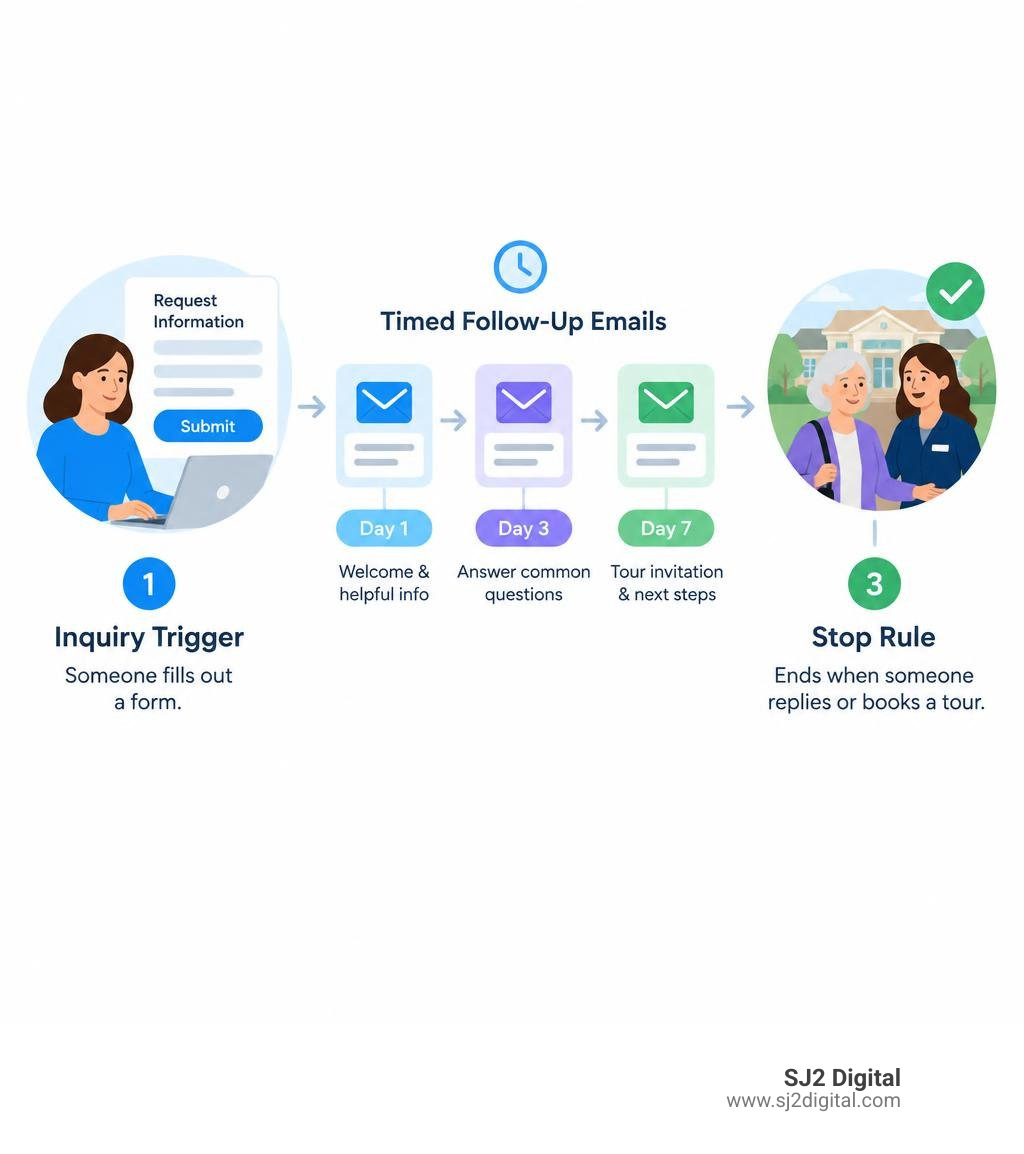
Automated flows regularly outperform standard broadcast campaigns across every primary benchmark. When messages match subscriber intent, engagement climbs. Industry benchmarks show automated flows yielding click rates of 5.58% compared to just 1.69% for one-off manual sends. Furthermore, automated sequences generate placed order rates up to 13 times higher and deliver roughly 18 times more revenue per recipient. In fact, automation accounts for nearly 41% of total email-generated revenue while representing only 5.3% of total sends.
Whether your goal is guiding families through complex care decisions, onboarding software users, or recovering abandoned checkouts, structured lifecycle sequences turn casual interest into lasting relationships.
What Is an Email Drip Campaign and How Does It Work?
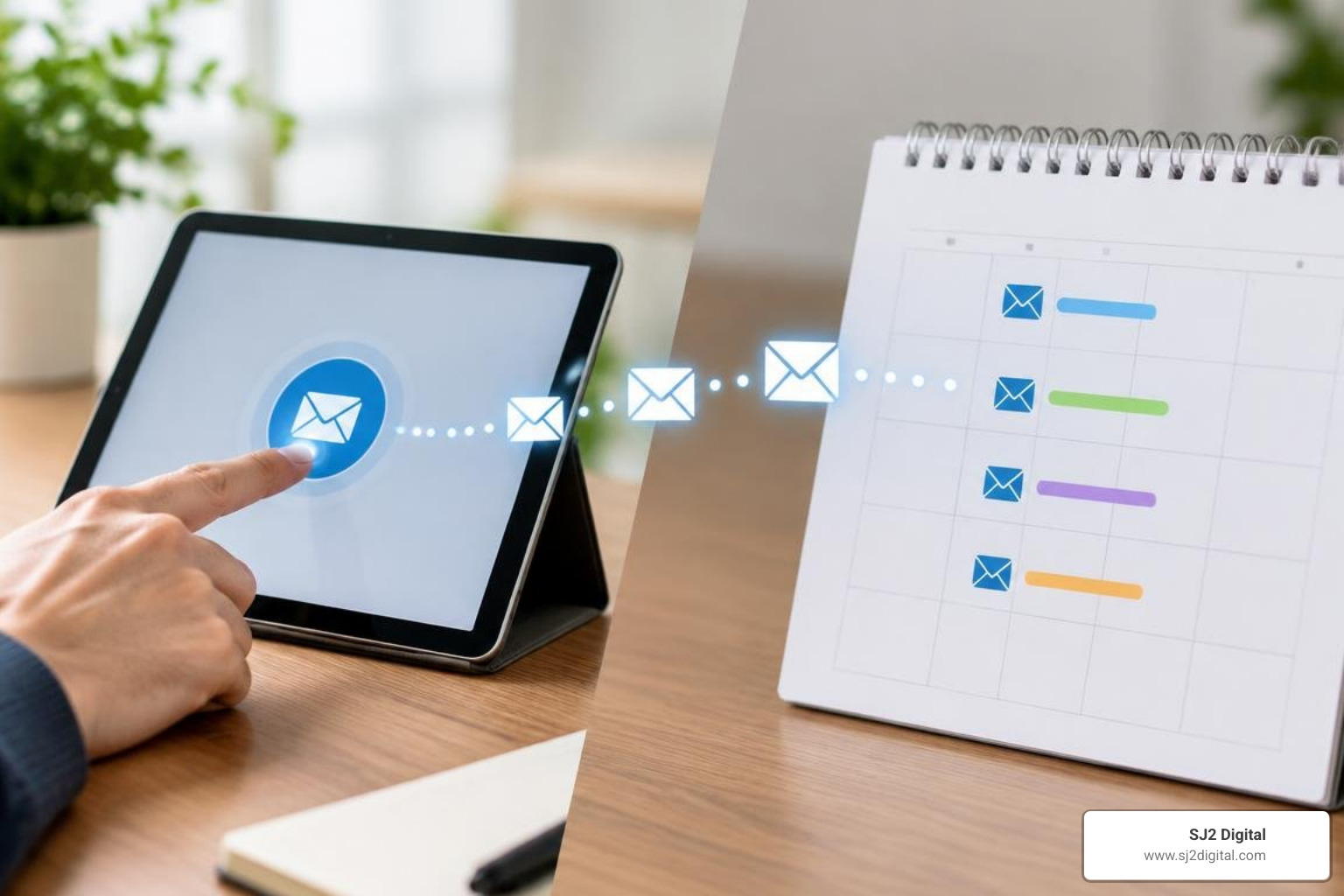
At its heart, an email drip campaign delivers a coordinated series of pre-written messages on a schedule tied directly to user behavior or milestones. Instead of blasting your entire database with the same message on Tuesday morning, your platform enrolls subscribers individually the moment they meet specific criteria.
Modern email marketing automation relies heavily on first-party data rather than third-party tracking pixels. When a user downloads a floor plan, creates an account, or abandons a digital cart, that action creates an event in your system. The drip automation listens for that event, queues the initial response, and manages the subsequent messages based on how that individual interacts over time.
Core Mechanics: Triggers, Sequences, and Schedules
Every successful drip campaign consists of three technical pillars:
- The Trigger: The event or rule that initiates enrollment. Triggers can be event-based (submitting a contact form, requesting pricing, clicking a specific link) or date-based (a subscriber's birthday, subscription renewal, or 30 days of inactivity).
- The Sequence: The structured chain of emails designed around a single objective. Each message serves a focused purpose—such as introducing your brand values, highlighting customer testimonials, or answering frequent objections.
- The Schedule: The delay logic governing when each email goes out (e.g., Send Email 1 instantly, wait 2 days, send Email 2, wait 3 days, send Email 3).
Crucially, modern workflows require exit rules and stop conditions. If a prospective resident schedules an on-site visit after Email 2, your workflow engine must automatically pull them from the introductory sequence. Continuing to send "Have you considered scheduling a tour?" emails to someone who booked twenty minutes ago frustrates prospects and harms your brand credibility. You can explore how to nurture new leads with automated email sequences using CRM workflow conditions to ensure contacts exit smoothly upon conversion.
Drip Sequences vs. Broadcasts vs. Nurture Flows
Marketers frequently confuse drip sequences, broadcast newsletters, and adaptive lead nurturing workflows. While all three have a place in your strategy, their architectures serve entirely different functions:
| Feature | Broadcast Newsletter | Email Drip Campaign | Adaptive Nurture Flow |
|---|---|---|---|
| Trigger Mechanism | Manual send by marketer | Specific user action or date | Multi-channel user behavior & intent |
| Logic & Structure | Static, one-off blast | Linear, time-delayed sequence | Dynamic branching with conditional rules |
| Audience Scope | Broad database or active list | Individual contacts matching trigger | Micro-segmented behavioral clusters |
| Content Focus | Timely updates, news, promotions | Structured milestone education | Context-aware, hyper-personalized answers |
| Goal | General brand awareness | Specific milestone completion | Long-term qualification and conversion |
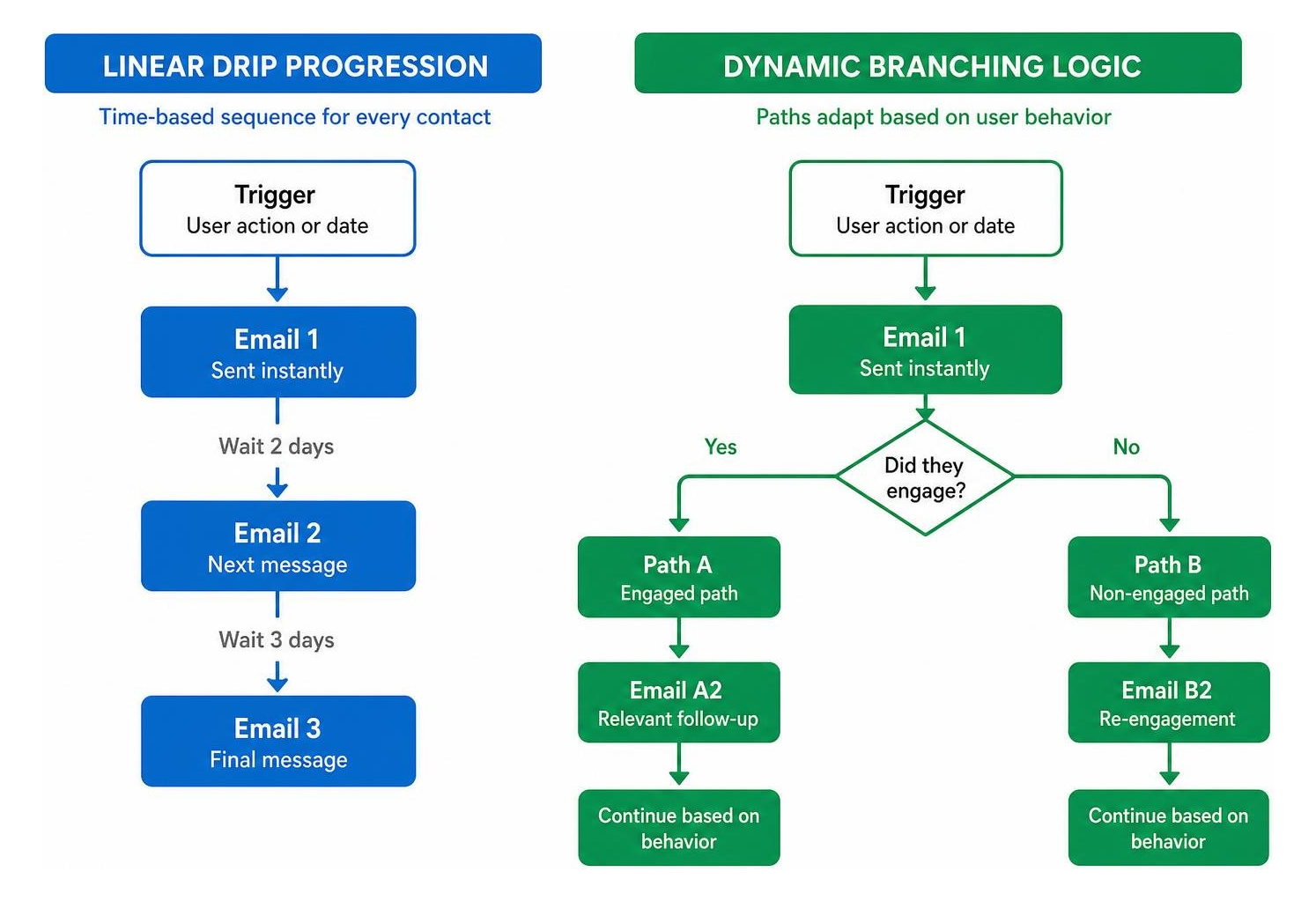
A standard broadcast newsletter goes to your list all at once with time-sensitive announcements. A drip campaign runs linearly based on elapsed time after an initial trigger. An advanced nurture flow uses dynamic branching logic, routing users down different paths depending on whether they opened Email 1, clicked a specific resource link, or visited your pricing page.
High-Performing Drip Sequence Frameworks and Use Cases
Drip sequences work across every stage of the customer lifecycle. By matching message content to where the prospect stands in their decision-making process, you remove friction and build trust step-by-step.
Key Types of Email Drip Campaigns for Every Funnel Stage
1. The Welcome Series (Top of Funnel)
First impressions matter. When someone joins your community list or downloads a guide, their attention is at its peak. A 3-to-4 email welcome sequence introduces your organization's mission, delivers promised resources, spotlights resident stories or client wins, and sets clear expectations for future communications.
2. Abandoned Cart and Incomplete Form Recovery (Middle of Funnel)
In e-commerce, shopping cart abandonment averages roughly 70%. In high-consideration service sectors like senior living or healthcare, incomplete tour requests and half-filled inquiry forms represent high-intent prospects who encountered friction. Triggering a helpful follow-up within 1 to 4 hours recovers valuable pipeline before the lead turns cold.
3. Lead Qualification and Educational Flows (Middle of Funnel)
Complex decisions require careful evaluation. An educational sequence helps prospects compare options, understand pricing models, and explore amenities. Integrating marketing automation for lead generation allows you to score engagement as leads interact with these guides, alerting your sales or admissions team the moment a contact shows buying intent. If you use open-source or custom marketing stacks, reviewing how to create a drip campaign in Mautic provides helpful insights on setting up condition-based triggers for scoring leads.
4. Post-Purchase and New Client Onboarding (Bottom of Funnel)
The conversion is not the end of the journey—it is the beginning of retention. An onboarding drip guides new clients through setup steps, introduces support channels, and highlights overlooked features or community programs, minimizing churn and buyer's remorse.
5. Win-Back and Re-Engagement Campaigns (Retention)
Over time, contacts naturally disengage. Instead of letting stale leads drag down your sender reputation, launch an automated win-back series after 60 to 90 days of inactivity. Offer an exclusive resource, highlight what's new, or invite them to update their email preferences. If they remain inactive, an automated sunset policy protects your deliverability.
Determining Optimal Sequence Length and Cadence
There is no universal email count that fits every industry. However, effective drip campaigns share common timing structures based on decision urgency:
- Abandoned Cart / Incomplete Inquiry: 2 to 4 emails across 48 to 72 hours. (Email 1 sent at 1–2 hours, Email 2 at 24 hours, Email 3 at 48–72 hours with FAQs or assistance).
- Welcome Sequence: 3 to 5 emails across 7 to 14 days. (Email 1 immediately, Email 2 on Day 2, Email 3 on Day 5, Email 4 on Day 8, Email 5 on Day 12).
- High-Consideration Nurture: 4 to 8 emails spread over 30 to 90 days, spaced 7 to 14 days apart to maintain mindshare without overwhelming the inbox.
- Re-Engagement / Win-Back: 2 to 3 emails over 10 to 14 days before updating list status.
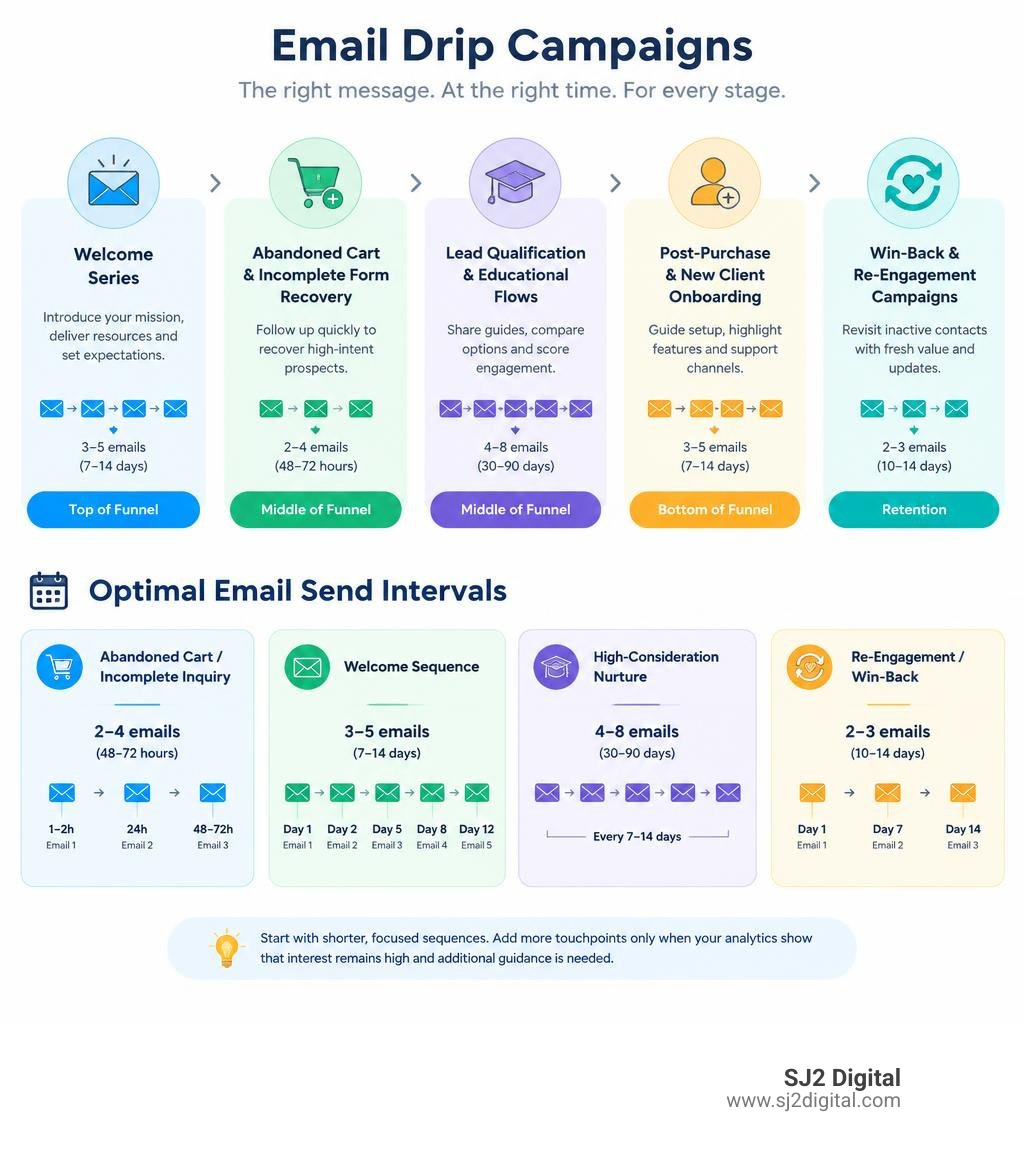
More emails do not automatically produce better conversions. Start with shorter, focused sequences. Only add follow-up touchpoints when your analytics demonstrate that prospect interest remains high and additional guidance is necessary.
How to Plan, Build, and Optimize Your Drip Automations
Setting up an effective email automation system requires thoughtful planning before writing a single subject line.
Step-by-Step Guide to Build an Email Drip Campaign from Scratch
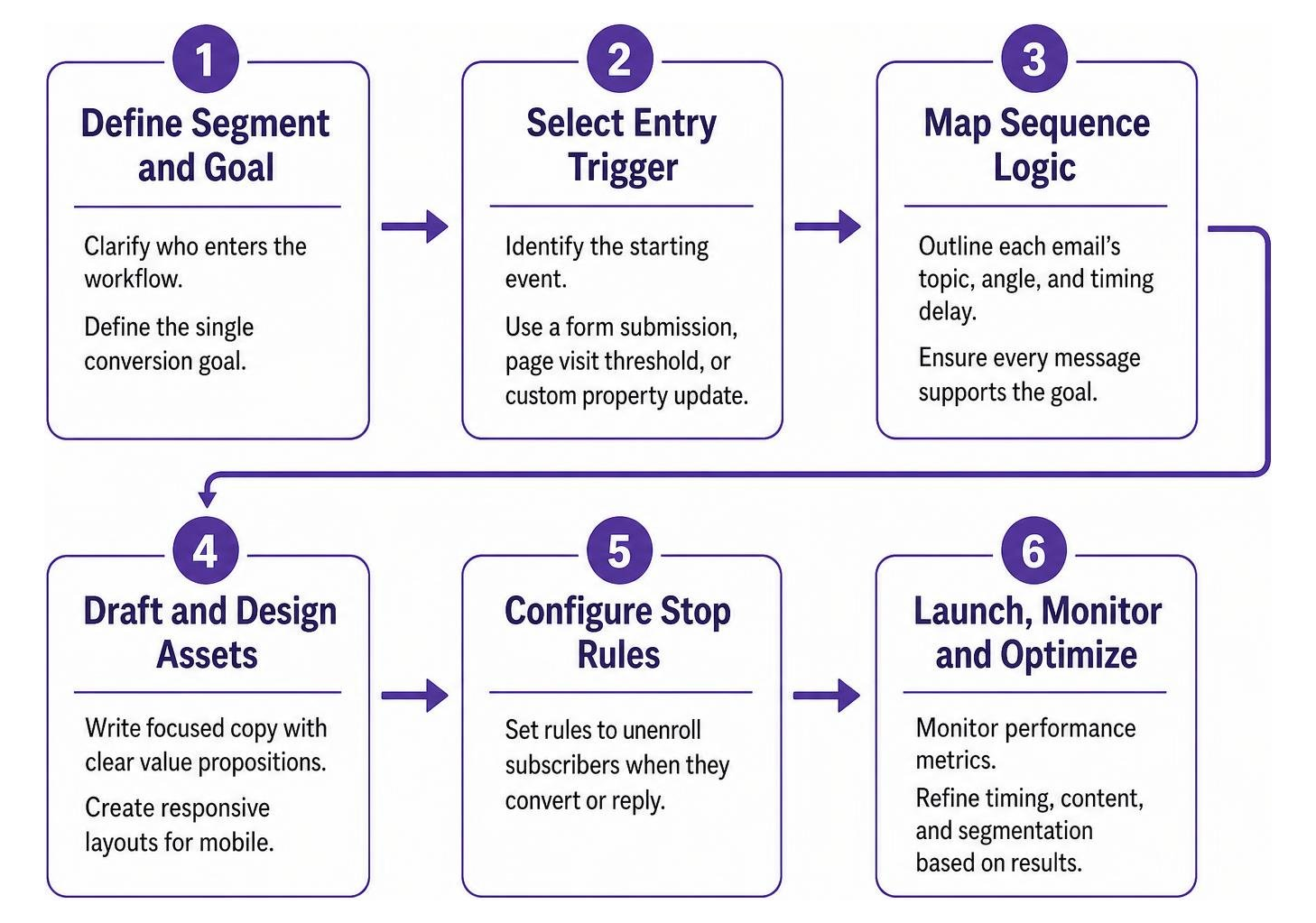
- Define Your Target Segment and Single Conversion Goal: Clarify who enters the workflow and the exact action you want them to take (e.g., booking a discovery call, downloading a guide, completing a purchase). Segmenting your audience yields up to 5 times more revenue compared to unsegmented campaigns.
- Select the Precise Entry Trigger: Identify the starting event in your CRM or automation tool, whether that is a form submission, page visit threshold, or custom property update.
- Map Out the Sequence Logic: Outline each email's topic, angle, and timing delay. Ensure every message directly supports the primary campaign goal.
- Draft and Design the Assets: Write focused copy with clear value propositions and responsive layouts that look clean on mobile devices.
- Configure Stop Rules and Exit Criteria: Establish rules that immediately unenroll subscribers once they convert or reply.
- Run Pre-Flight Tests: Send test records through the sequence to confirm dynamic personalization tags, delay intervals, tracking parameters, and branching rules work as intended. For custom application stacks, developers can consult guides to set up an email drip campaign or review our CRM marketing automation guide for enterprise CRM integrations.
- Activate and Iterate: Launch the automation, monitor early delivery rates, and adjust subject lines or intervals based on real-world data.
Copywriting, Personalization, and Design Best Practices
- One Goal, One Call to Action (CTA): Avoid cluttering your emails with multiple competing buttons and links. Each email should ask the reader to do one clear thing—read an article, view floor plans, or reply with a question.
- Deep Personalization Beyond First Names: Modern personalization references the subscriber's expressed interests, geographic preferences, or specific website actions rather than simply inserting a
{{First_Name}}token into generic copy. - Mobile-First, Readable Layouts: More than 50% of emails are opened on mobile devices. Use concise paragraphs, 16px+ base font sizes, scannable bullet points, and finger-friendly CTA buttons.
- Balance Visual Design with Plain-Text Authenticity: Overly complex graphical templates often look like commercial advertisements and trigger promotional inbox filters. Hybrid layouts—featuring clean typography, subtle branding, and personal sign-offs—consistently generate higher engagement and reply rates.
Tracking Core Metrics and Running A/B Tests
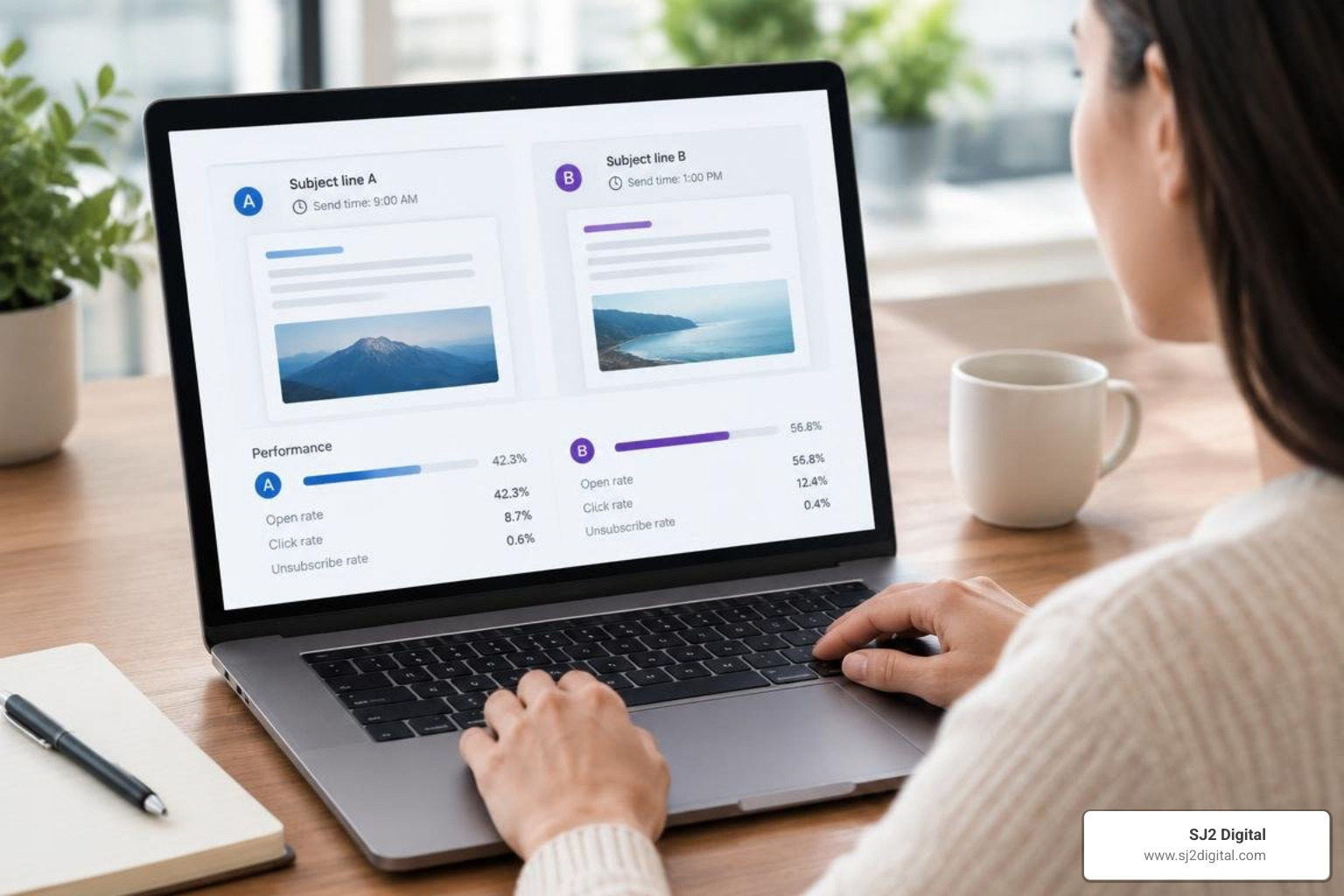
Evaluating automation performance requires monitoring metrics across the entire funnel:
- Delivery and Bounce Rates: Keep bounce rates below 2% to protect your domain reputation.
- Click-to-Open Rate (CTOR): Measures how compelling your email content is to readers who opened the message.
- Conversion Rate per Step: Identifies where drop-offs occur across your sequence, showing you exactly which email needs revision.
- Revenue per Recipient (RPR): Tracks the direct financial impact generated by each subscriber enrolled in the workflow.
- Unsubscribe and Spam Complaint Rates: Spikes in opt-outs or complaints signal that your send frequency is too aggressive or your content does not match subscriber expectations.
When running A/B tests, test one variable at a time across statistically meaningful sample sizes. Experiment with subject line angles (curiosity vs. direct benefit), preview text variations, send delays (morning vs. afternoon), and CTA formats (text link vs. button). For teams evaluating whether to manage these optimizations internally or collaborate with specialists, our marketing automation agency guide outlines key operational considerations.
Frequently Asked Questions About Email Drip Campaigns
What is a good conversion rate for an abandoned cart drip campaign?
Across e-commerce and digital booking workflows, well-optimized abandoned cart drip sequences average conversion rates around 17%. B2C organizations adopting structured cart and form recovery flows frequently see overall conversion rates climb by up to 50%. Delivering the first recovery message within the initial 1 to 4 hours is crucial for capturing interest while intent remains high.
Can running automated drip campaigns hurt email deliverability?
Yes, if configured improperly. Automations that send irrelevant messages to unsegmented lists, trigger too frequently, or continue emailing unengaged contacts generate high spam complaint and unsubscribe rates. To protect deliverability, always use explicit opt-in permissions, verify email syntax at form capture, monitor bounce rates, and implement automated sunset policies for contacts showing zero engagement over 60 to 90 days.
How is a drip campaign different from a standard autoresponder?
A standard autoresponder is typically a single, static reply sent immediately after an action (such as a generic "Thanks for contacting us" confirmation). An email drip campaign is a strategic, multi-step sequence that delivers educational and conversion-focused content over days, weeks, or months, adapting dynamically based on user interactions, delay logic, and exit rules.
Conclusion
Automated email drip campaigns remain one of the most effective, scalable channels in modern digital marketing. By meeting prospects where they stand with relevant, timely guidance, your organization builds meaningful trust, nurtures leads on autopilot, and unlocks consistent revenue growth.
We take an anti-agency approach to digital growth—working without rigid long-term contracts, delivering transparent live dashboards, and providing hands-on, senior-level expertise tailored to your operational goals. If you are ready to modernize your lifecycle marketing and build high-converting automations, explore our expert email automations to see how we can help you scale sustainable results.