
How to Start Automated Email Campaigns
To build automated email campaigns, start with one clear goal, such as following up with families who request a senior-living tour. Choose the event that starts the workflow, write a short series of helpful emails, set delays between them, and stop the series when someone books a tour or opts out. Test every message before launch, then track clicks and bookings to see what needs to improve.
The key is to send information that fits the person's next step, not the same email to everyone.
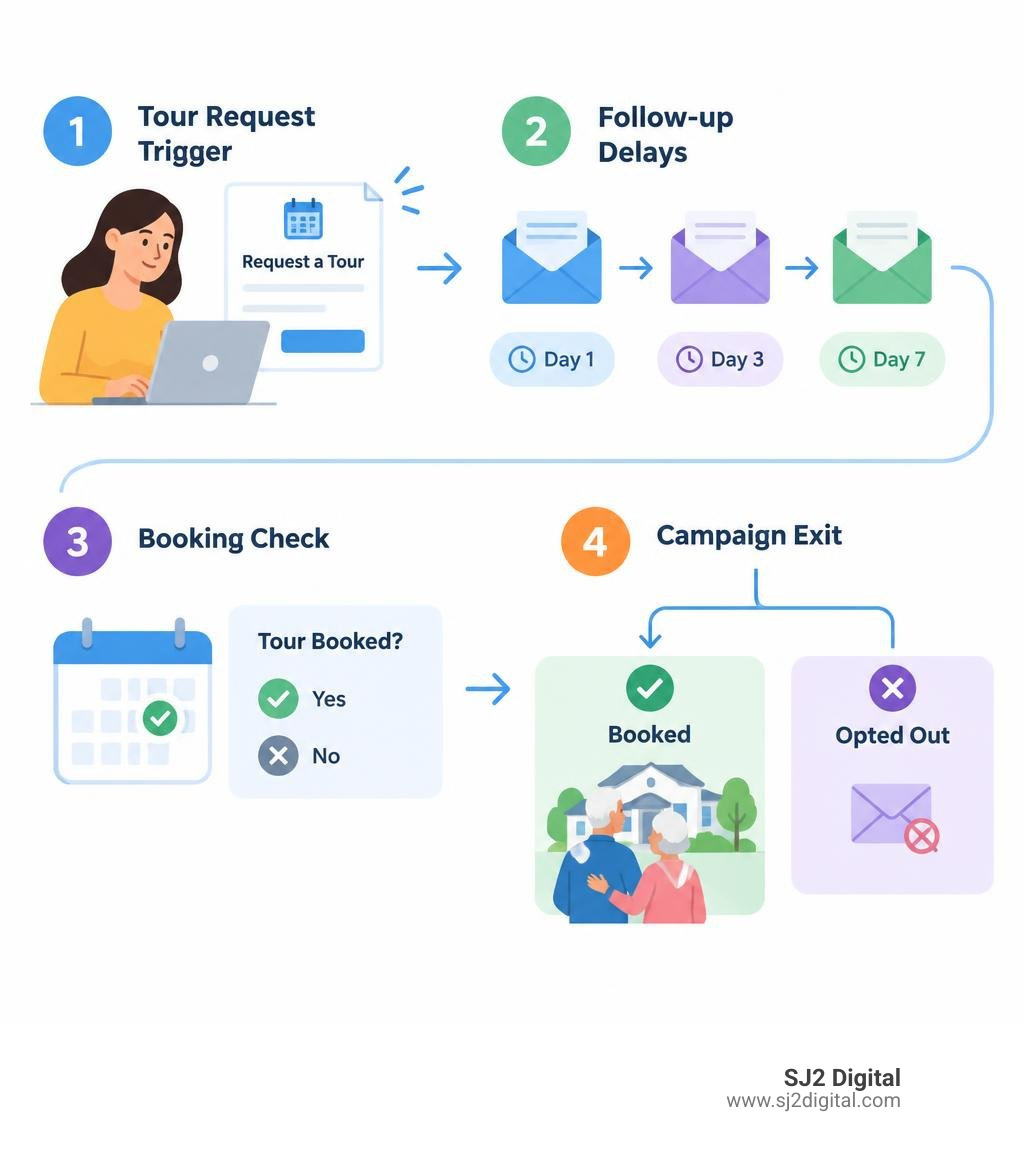
What Are Automated Email Campaigns and Why Do They Outperform Broadcasts?
When we look at traditional email marketing, most teams rely on one-off broadcasts or scheduled newsletters. A general newsletter gets sent to an entire list at a fixed time—like Tuesday morning at 10 AM—regardless of what those recipients are doing. In contrast, an automated campaign triggers based on direct user interactions, sending personalized messages at the exact moment a prospective buyer needs guidance.
Implementing comprehensive email marketing automation transforms communication from a megaphone into a natural conversation. Rather than blasting out identical sales promotions, automated sequences deliver specific answers based on what someone browsed, downloaded, or scheduled.
Research shows that it often takes several touchpoints before a sale occurs. Delivering these touchpoints manually is nearly impossible as your contact list expands. Businesses using automation software generate twice as many leads as those without it, primarily because no prospect slips through the cracks. Behavior-triggered messages consistently outperform batch blasts with substantially higher engagement rates because they match subscriber intent.
Autoresponders vs. Behavior-Based Workflows
Many teams begin their journey with basic autoresponders. While autoresponders represent a helpful step forward, they are fundamentally different from modern, behavior-based workflows.
- Autoresponders: Linear sequences triggered by a single event (like filling out a web form). Every subscriber receives Email 1, waits two days, receives Email 2, waits three days, and receives Email 3, regardless of whether they opened the previous emails or already made a purchase.
- Behavior-Based Workflows: Dynamic sequences powered by branching logic, event listeners, and user actions. If a contact clicks a pricing link in Email 1, the workflow can immediately route them into an accelerated sales path while removing them from general educational messaging.
| Feature | Static Autoresponders | Dynamic Behavior-Based Workflows |
|---|---|---|
| Trigger Mechanism | Single event (e.g., form submission) | Multiple real-time actions, tags, or page visits |
| Logic & Structure | Linear, fixed timeline | Conditional branching with if/then pathways |
| Personalization | Basic merge tags (e.g., First Name) | Dynamic content blocks, behavioral updates, and purchase history |
| Adaptability | Sends all messages regardless of actions | Automatically pauses, exits, or reroutes based on conversion |
Business Benefits for Modern Teams
For growing businesses, leveraging marketing automation for lead generation delivers substantial operational and financial advantages:
- Exceptional Return on Investment: Email marketing remains widely recognized for delivering an unmatched ROI across digital marketing channels by turning existing organic and paid traffic into qualified sales.
- Lead Nurturing on Autopilot: An automated framework educates leads over weeks or months without requiring a marketing team member to send manual follow-up reminders.
- Operational Efficiency: Eliminating repetitive manual emails frees your team to focus on strategic growth, customer service, and direct sales conversations.
- Higher Data Visibility: Tracking user interactions across automated pathways uncovers which resources move prospects closer to booking or buying.
Essential Workflows Across the Customer Lifecycle
To design effective campaigns, we need to map our communication directly to the customer journey. When you align your messaging with awareness, consideration, decision, and retention stages, every email feels supportive rather than pushy.
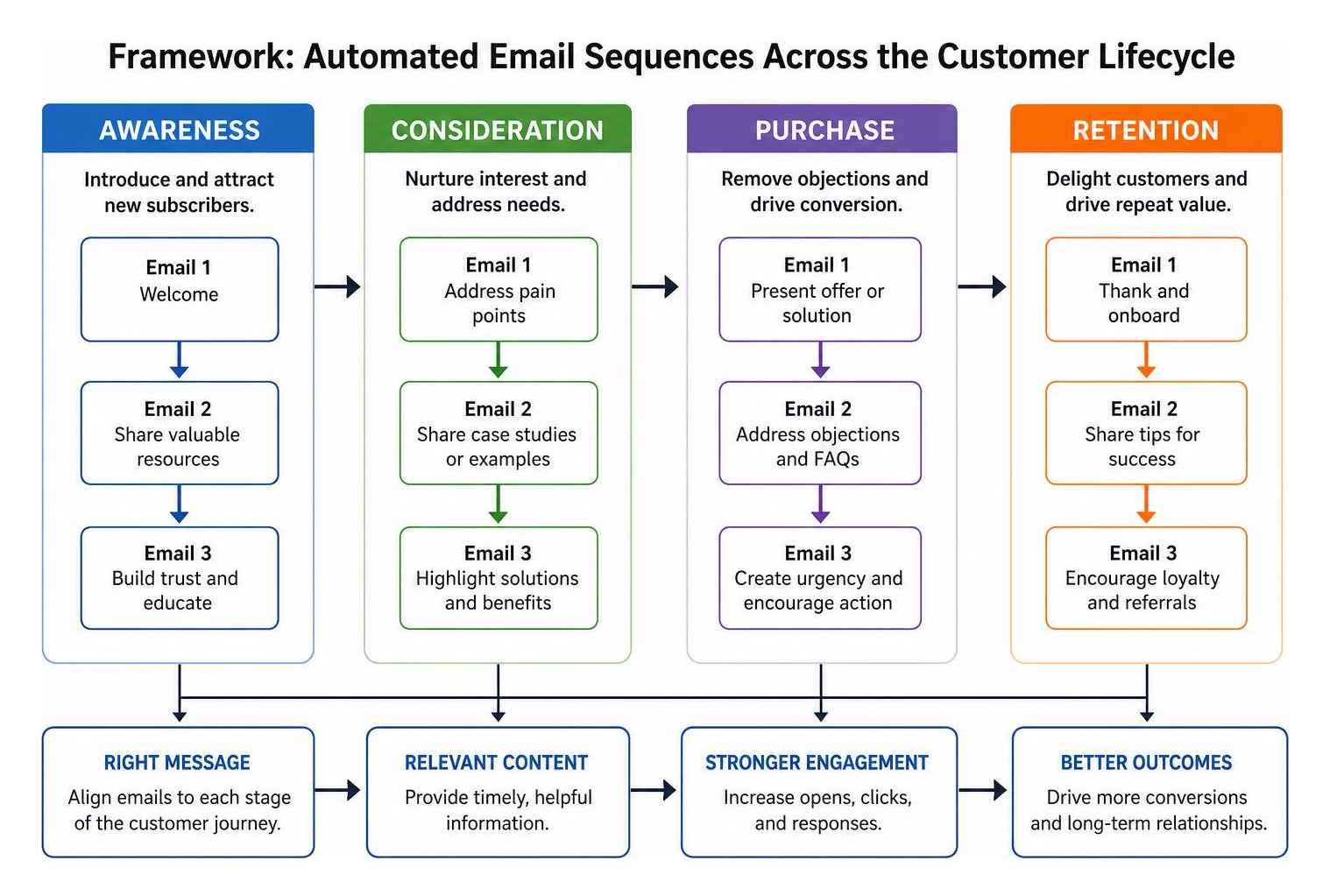
Using well-timed automated email workflows to keep up with demand ensures your audience receives relevant support whenever capacity spikes.
Core Types of Automated Email Campaigns
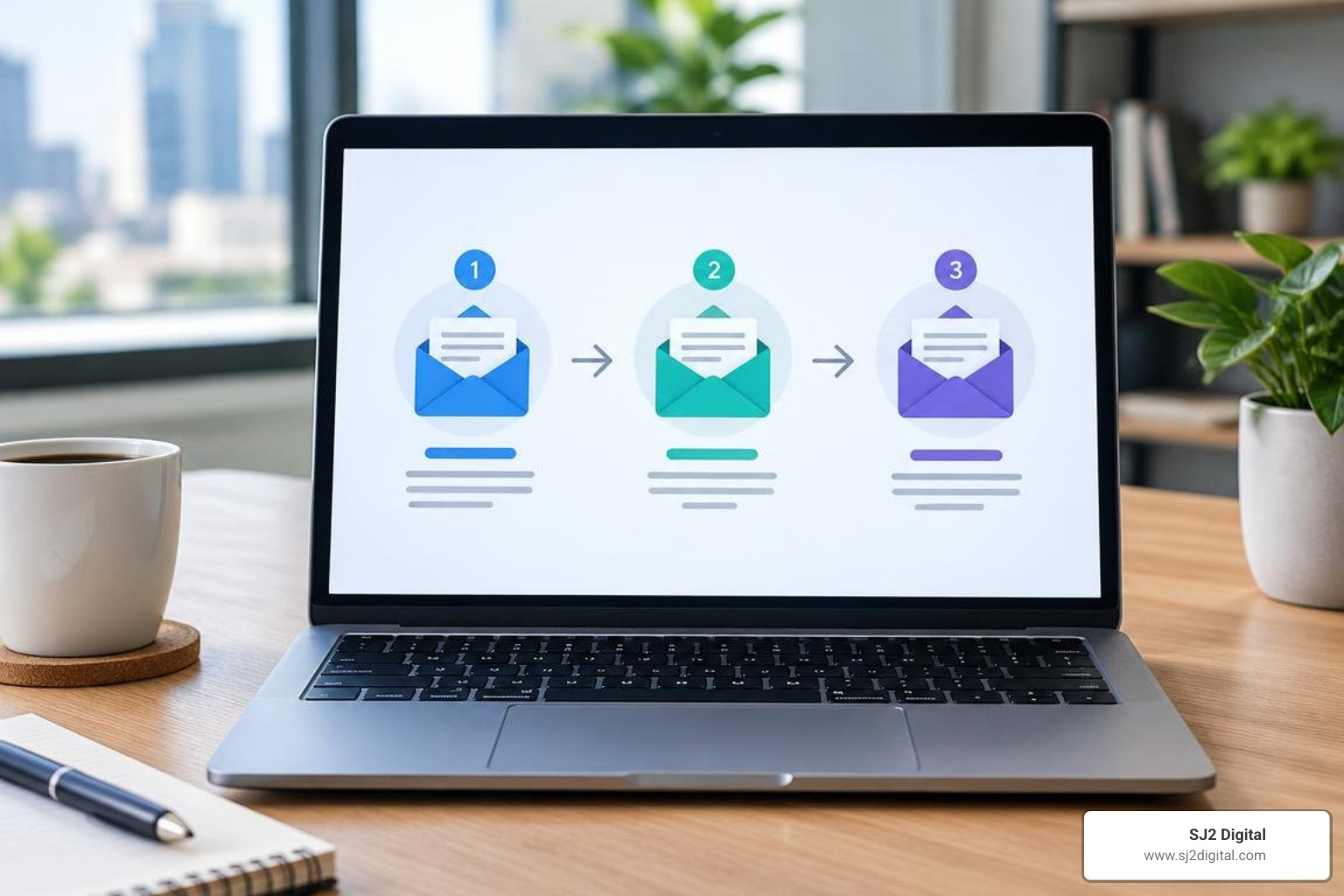
- Welcome Series: The most critical sequence for any organization. When someone joins your community, download a guide, or signs up for updates, send a 3- to 4-part series introducing your core mission, sharing foundational resources, and setting communication expectations.
- Abandoned Cart & Abandoned Browse Recovery: In e-commerce and high-intent service bookings, prospects often explore options and exit. Automated reminders displaying the exact items or services viewed recover lost revenue by addressing hesitation or offering quick support.
- Post-Purchase and Onboarding Sequences: The sale is just the beginning. Nurture new buyers with instructional guides, best-practice tips, and check-ins to reduce buyer remorse and increase product adoption.
- Appointment & Job Reminders: Service-based businesses, clinics, and residential communities reduce missed appointments by automating confirmation emails, preparation checklists, and post-service follow-up reviews.
- Re-engagement & Sunset Flows: Identify subscribers who have not interacted with your emails over a 60- to 90-day window. Send a friendly check-in offering tailored topics or a simple way to adjust email frequency before removing inactive contacts to safeguard deliverability.
Audience Segmentation and Contact Tagging
Relevance is what makes automated messaging successful. If a subscriber looking for memory care receives independent living promotions, they quickly tune out. By combining behavioral tagging with an intentional B2B lead nurturing strategy, you can group subscribers by role, intent, or engagement level.
- Interest Tags: Apply tags when contacts click specific links (e.g.,
Interest: Floor PlansorInterest: Pricing Guide). - Lifecycle Status: Update contacts automatically from
LeadtoActive OpportunityorCustomerafter key milestones. - Exclusion & Suppression Rules: Apply
Do Not MarketorIn-Sales-Cycletags to pause marketing broadcasts while a sales representative is actively working a deal.
How to Build and Execute Winning Email Sequences
Building high-performing sequences requires aligning customer data with visual workflow tools. Integrating your email tools with a structured CRM marketing automation setup ensures lead scoring, sales notes, and user behaviors sync smoothly across all channels.
How to Build Automated Email Campaigns in Five Steps
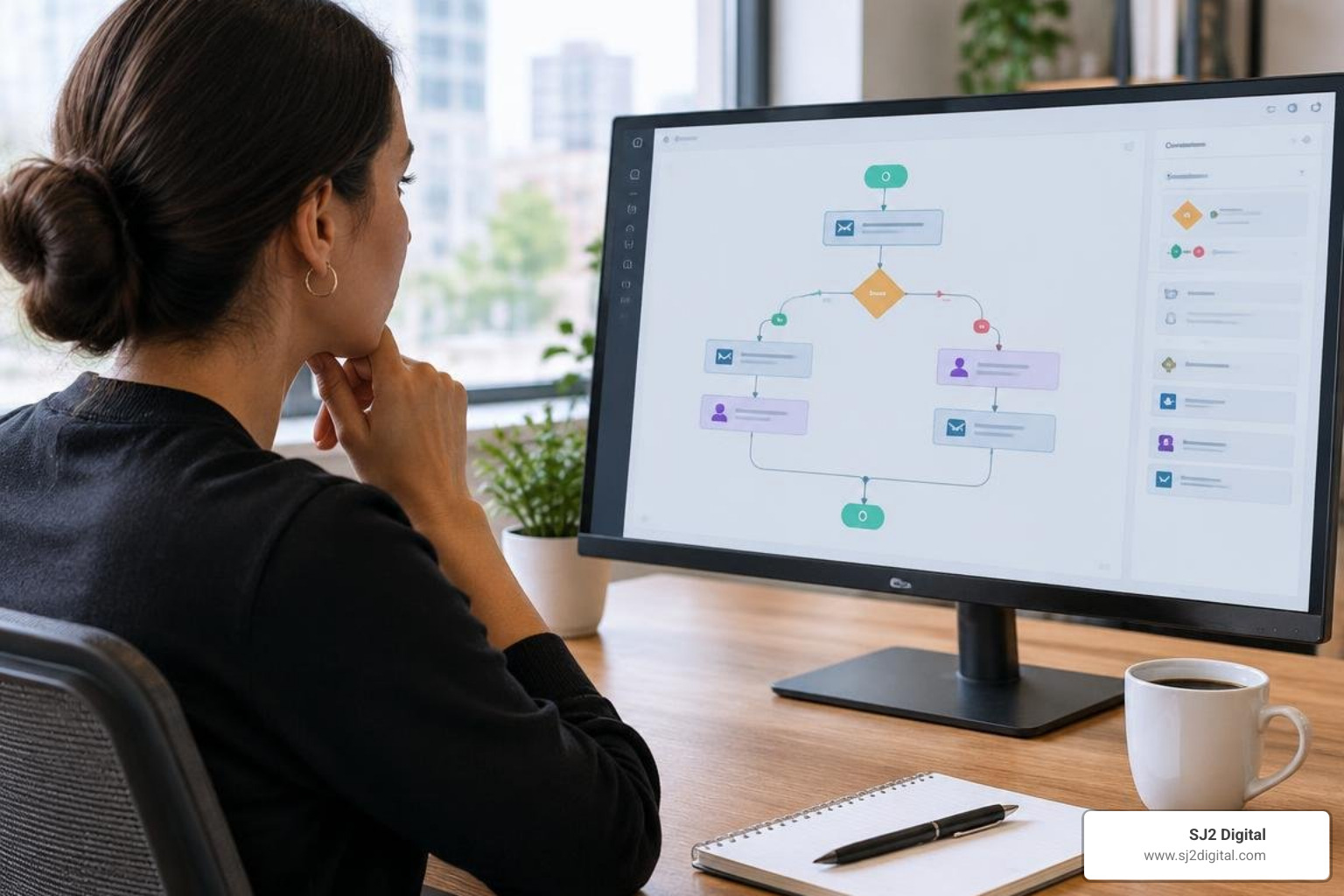
- Define the Goal and Enrollment Trigger: Determine the singular purpose of the workflow (such as booking a consultation). Select the trigger event, such as a website form fill, tag addition, or page visit.
- Map the Communication Path: Outline the sequence steps on paper or inside your visual canvas. Decide on initial wait times (e.g., send immediately, then wait 2 days before message two).
- Draft Contextual Content: Write clear, focused emails. Keep each message centered around one clear call to action (CTA), such as reading an educational guide or scheduling a call.
- Set Up Branching Logic and Exit Conditions: Establish rules so that when a subscriber completes the primary goal (like completing an intake form), they automatically exit the nurture sequence.
- Test Thoroughly Before Going Live: Send test emails across desktop and mobile devices. Verify that dynamic fields pull correctly, buttons point to live URLs, and delay timers fire as planned.
Selecting the Right Automation Software and Tier
Choosing software depends on your operational model, team size, and integration requirements. For straightforward setups, explore standard options reviewed in roundups of top email drip campaign software to evaluate delivery rates and interface simplicity.
- Beginners and Content Creators: Tools offering visual drag-and-drop builders, lightweight landing page builders, and ready-made welcome templates allow quick launches without deep technical setup.
- E-Commerce Brands: Systems equipped with deep store integrations, real-time product catalogs, SMS integration, and predictive purchase scoring excel at driving retail conversions.
- Growing SMBs and B2B Teams: Platforms combining behavioral automation, built-in CRM pipelines, lead scoring, and website event tracking provide the flexibility needed for multi-stage sales cycles. For strategic implementation, consulting our marketing automation agency overview can help clarify platform selection and architecture.
Many platforms offer free tiers to help you get started. Free plans typically include core visual builders and contact management, though they often feature daily send limits (e.g., 300 emails per day) or cap active subscribers. As your contact database expands, upgrading unlocks advanced branching triggers, multi-channel messaging, and custom webhook capabilities.
Performance Tracking, Optimization, and Compliance
Launching your campaign is only the halfway mark. Long-term performance relies on continuous measurement, routine list maintenance, and adherence to messaging privacy standards.
- Key Performance Metrics: Monitor open rates for subject line effectiveness, click-to-open ratios for content relevance, and workflow conversion rates to track how many contacts achieve the campaign's primary goal.
- Continuous A/B Testing: Systematically test one element at a time—such as subject lines, plain text versus designed layouts, or 2-day versus 4-day delays.
- Deliverability and List Hygiene: Regularly suppress invalid email addresses, monitor bounce rates, and offer a clear preference center where contacts can adjust email frequency.
- Legal Compliance: Comply with global and regional privacy regulations like CAN-SPAM and GDPR. Always include a visible physical mailing address, clear sender identification, and a one-click unsubscribe mechanism.
Frequently Asked Questions About Email Automation
What is the main difference between an email blast and an automated campaign?
An email blast is a one-time message sent manually to an entire mailing list at a specific date and time, regardless of individual subscriber behavior. An automated campaign is a dynamic sequence triggered automatically by a specific user action (such as downloading a resource or scheduling an appointment), delivering relevant, timely messages along a personalized timeline.
Can I run automated email workflows for free in 2026?
Yes. Several email marketing platforms offer robust free tiers that include drag-and-drop builders, visual workflow canvases, and basic segmentation. However, free tiers usually come with subscriber caps (often between 250 and 2,500 contacts) and daily or monthly send limitations. They serve as an ideal environment for testing initial welcome flows before upgrading as your business grows.
How do tagging and segmentation prevent subscriber fatigue?
Tagging tracks user preferences, engagement history, and lifecycle status in real time. By creating suppression rules—such as pausing general promotional broadcasts while a subscriber is actively going through an onboarding series—you prevent your audience from feeling overwhelmed by unnecessary emails.
Conclusion
Automated email campaigns turn disconnected marketing efforts into predictable, scalable revenue engines. By delivering timely, educational, and relevant content across every phase of the customer journey, your business nurtures relationships, accelerates decision-making, and eliminates manual follow-up burdens.
At SJ2 Digital, our anti-agency model connects your team directly with hands-on, senior-level marketing experts. We implement transparent, performance-focused strategies without binding long-term contracts. Explore our dedicated email automations services today to build high-converting customer workflows tailored to your operational goals.